
Integrating Apps to BleshCMS
The second step of the whole process is to start integrating your apps to BleshCMS.
Log in to BleshCMS and go click on My Applications from the left side bar. To start creating your application click on the Add New Application button.
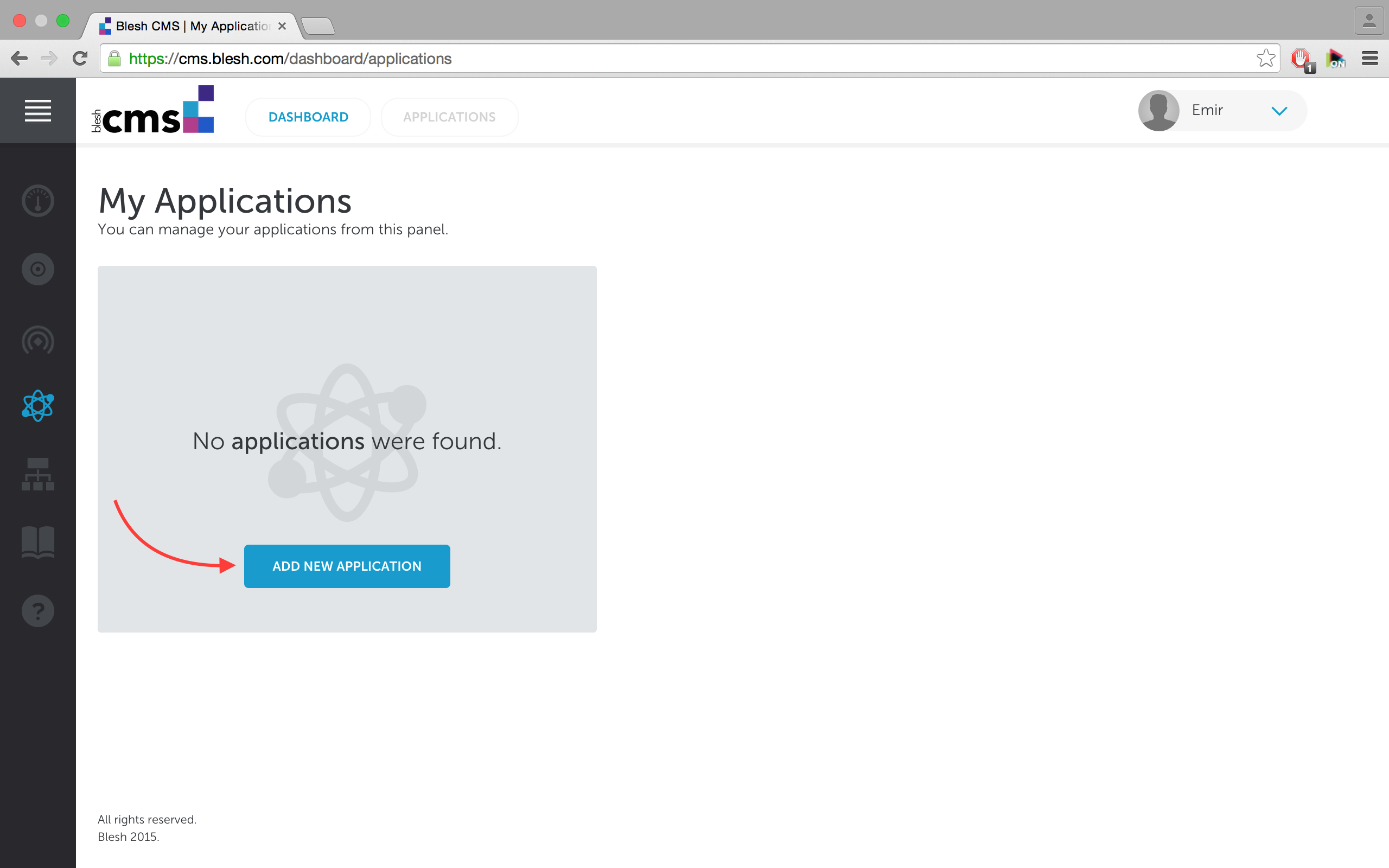
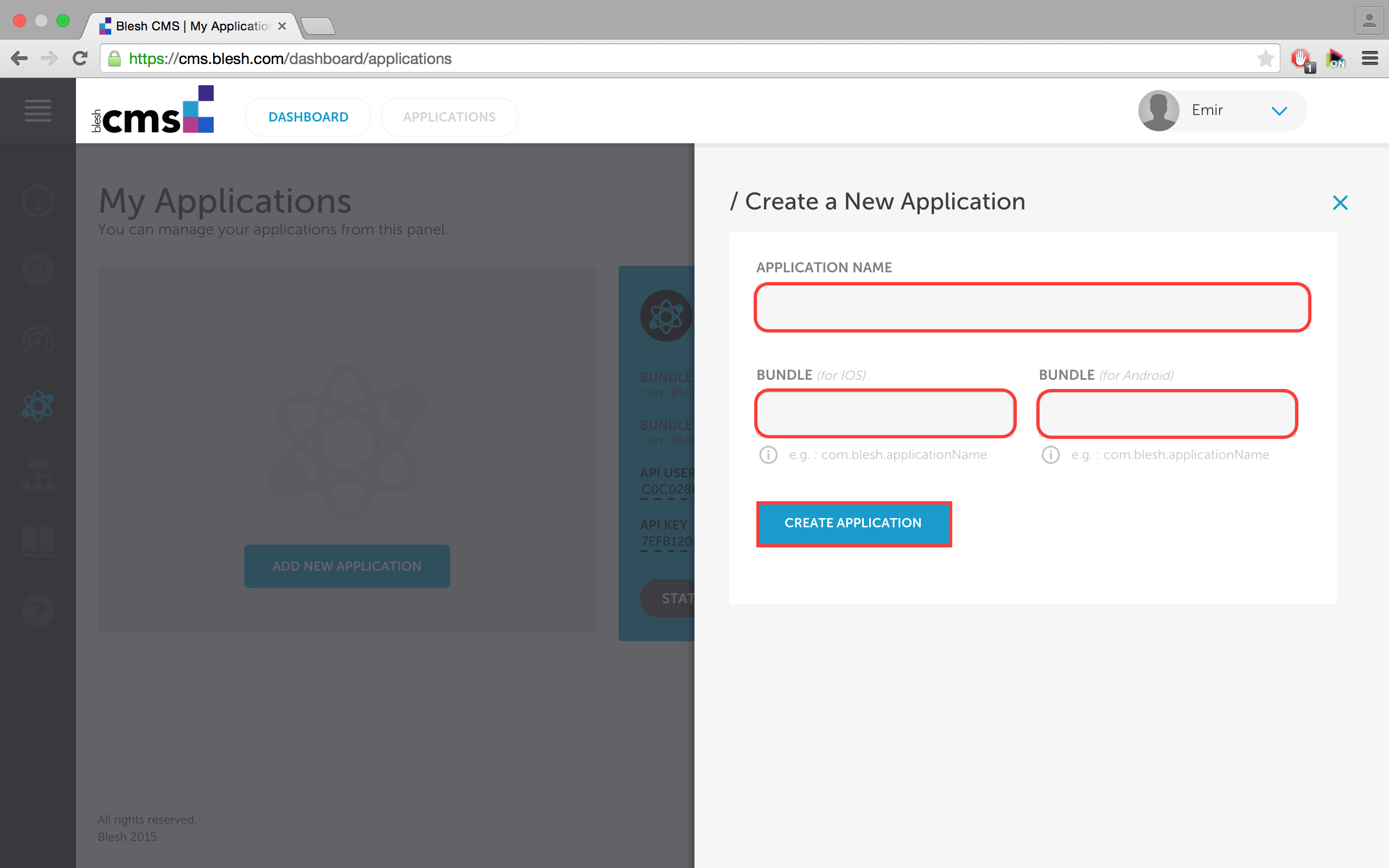
As you press the Add New Application button you will see a right side bar appear just like when we were mounting our first beacon.
Adding your application is relatively easier than mounting your beacon.You will be asked to fill in three separate areas. Your Application Name and two Bundle identifications one for IOS and one for Android platforms.
Bundle Identification
Your bundle names must be the same as your newly created application names.
After you are finished filling in the required blanks you are ready to go. Press the Create Application button and your very first application will be created.
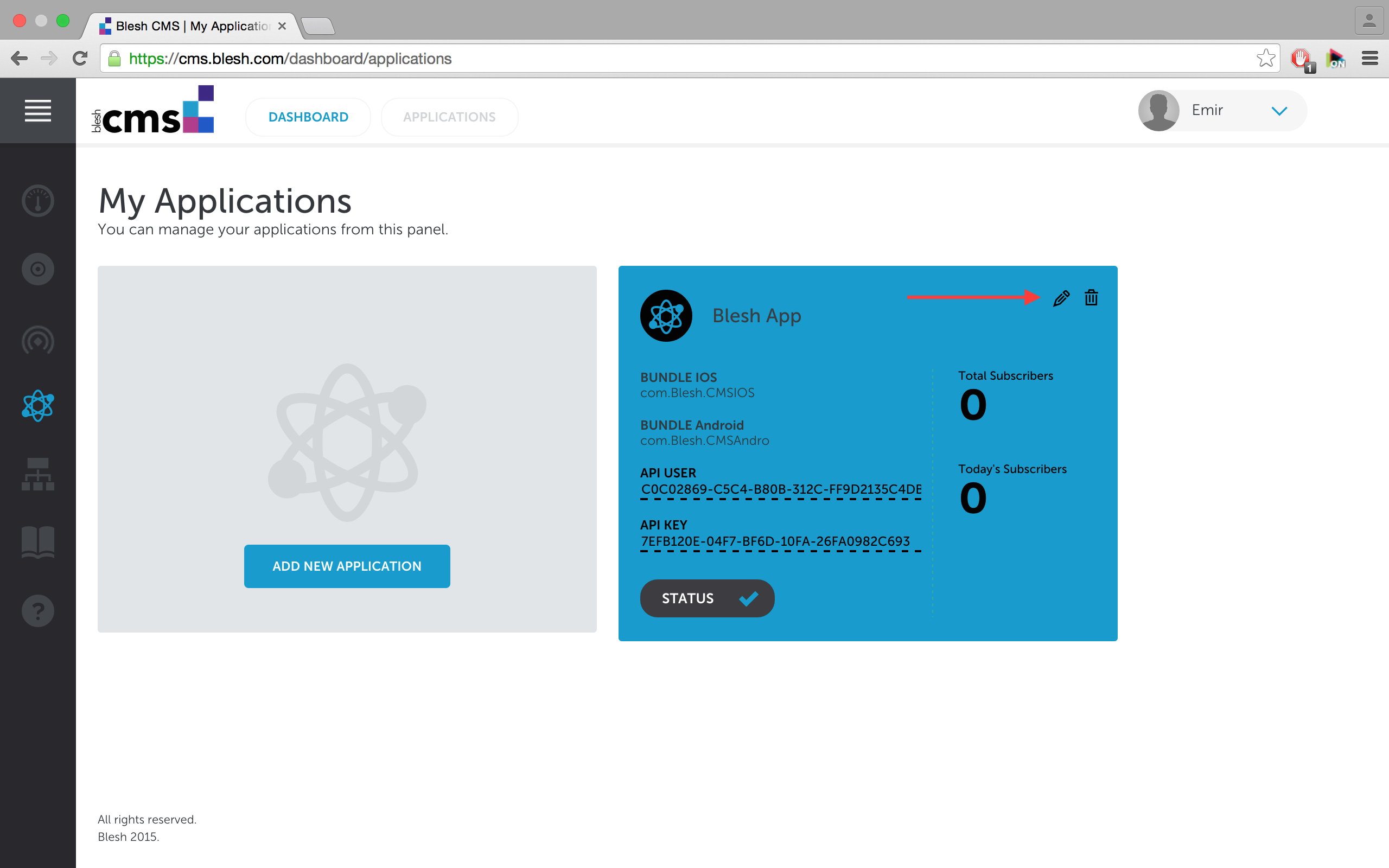
You can observe your newly created beacon at My Applications page.
API User and API Key
These two areas will appear on your created application after you click create. API User and API Key are automatically assigned by the BleshCMS platform.
API key : An API key is a code passed in by computer programs calling an API (application programming interface) to identify the calling program, its developer, or its user to the Web site. API keys are used to track and control how the API is being used, for example to prevent malicious use or abuse of the API.
Editing your Application
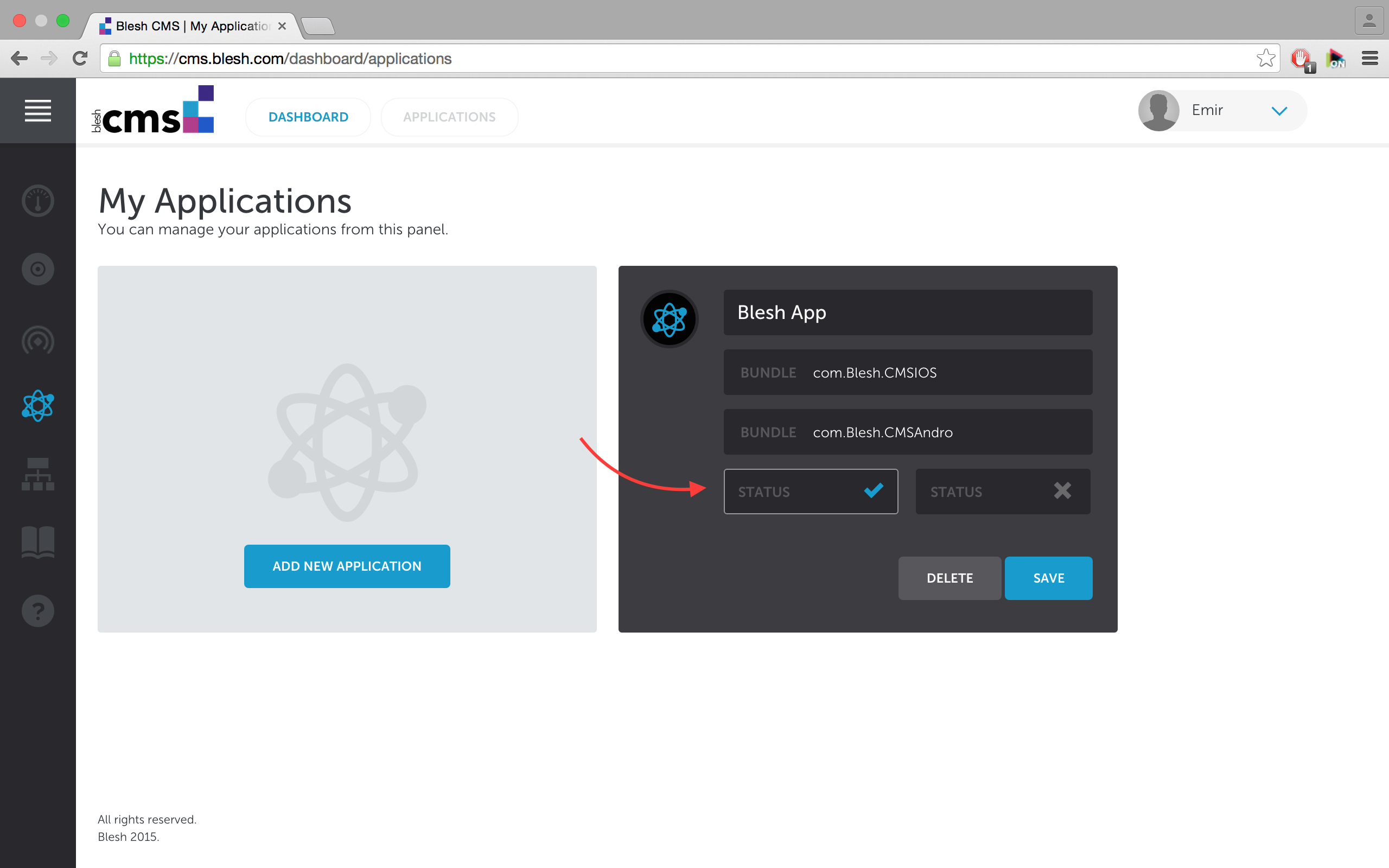
To edit your newly created application simply click on the edit button on the upper right corner of your created application.
You will observe an edit page open up right where your newly created application stands. From this area you can rename, change your bundle names and change your application's current status. Don't forget to click save after you have finished editing.
Congratulations! You have successfully created your very first application.You can also check out our video on how to create an Application to visually observe the steps that need to be taken.
You can know continue with our Creating and Editing your Campaign and Ad section.If you have any further questions or are looking for more information and pro tips, try our community pages or you can always contact us at [email protected].
Updated less than a minute ago